Posts

Universal Data Loader
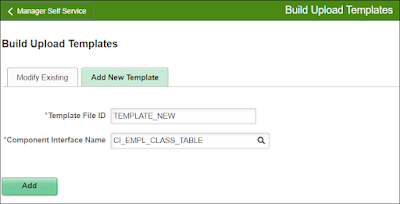
Image
     After a decade of time, I'm back to blogging, And it's time to give back the community that helped me grow in my career and skills with some of works.      As a first step, let me present my efforts on the vision to create a common upload utility I wanted since I started as a developer. Many customers have their own modules (bolt-on or customized) developed on their application and using delivered systems only when necessary.      And once in a while they load bulk data in those modules from 3rd party, or processed with offline tools (like Excel). With this base all those customers can benefit by simply having a CI - Component Interface for the same. The process is simple as follows, You create and perfect your CI based on the data you want to load Build your own upload templates with defaults, formats, etc.,  Complete the setup to create the File Layout (CSV or Fixed format) Which can provide you the sample file in FIXED as well as...

PS Query - Extented use of Expression and Prompts

Image
3 way Prompts In this way user can able to run the query either by giving value or giving prompt value or some part of the value. To do so we need to, Create the Expression Create a Prompt Add criteria with Expression and Prompt Change logical mapping Group the criteria Initial Query Create the Expression Create the Expression like below and in the Express Text give only <single quote> <space> <singlequote> Create a Prompt Create a Prompt for the Field where u need a Prompt while running the Query Please note that here the Prompt Table been mentioned with “No Table Edit” as Edit Type Add criteria with ...

Running Connected Query BIP / XMLP through Peoplecode / AE Process

Hi All, Most of us tend to find the Answer for this Question "How to I execute Connected Query XMLP report through Peoplecode or AE Peoplecode?" Here it is, what you are seeking for, import PSXP_RPTDEFNMANAGER:ReportDefn; import PT_CONQRS:QUERYITEMPROMPT:*;  import PT_CONQRS:CONQRSMGR:*;  Global string &BU, &Invoice;  Local array of PT_CONQRS:QUERYITEMPROMPT &prompts;  Local File &xmlFile; &reportDefinition = "XX_CONNQRY";  &connQueryName = "BI_INV_PRNT_CQRY_V1";  /* Start by creating the Connected Query Object */  &connQueryObject = create PT_CONQRS:CONQRSMGR("", &connQueryName);  If Not (&connQueryObject.Open( False)) Then  /* If it can't be opened, throw an error */   Error ("Failed to open Connected Query.");  End-If; If Not (&connQueryObject.Validate()) Then  /* Validate that all PSQueries within the Connected Query Exist */   Error ("Unable ...

Using Related Field as a Prompt Field without using Translate values

Image
Before learning the process of having related field as a prompt field, you need to know the final output of PIA screen looks like, check out the below screen. here actually the Profession field store only one character like "E", "H", but user can experience it values in their screens. Do the following steps to do the task titled. 1. Create the Record with field you actually want to store in DB. in our example it is MV_PROF 2. Assign the Prompt Table which you want to prompt while clicking the Related Field prompt. As shown above 3. Make sure that your Prompt Table has the Field you are displaying (Descr) is having Alternative Search Key and List Box Item checked 4. Comes to page design, have the Display Control Field properties like below, 5. And Related Field properties like below,